Custom Facts & Knowledge Stacks Are Live
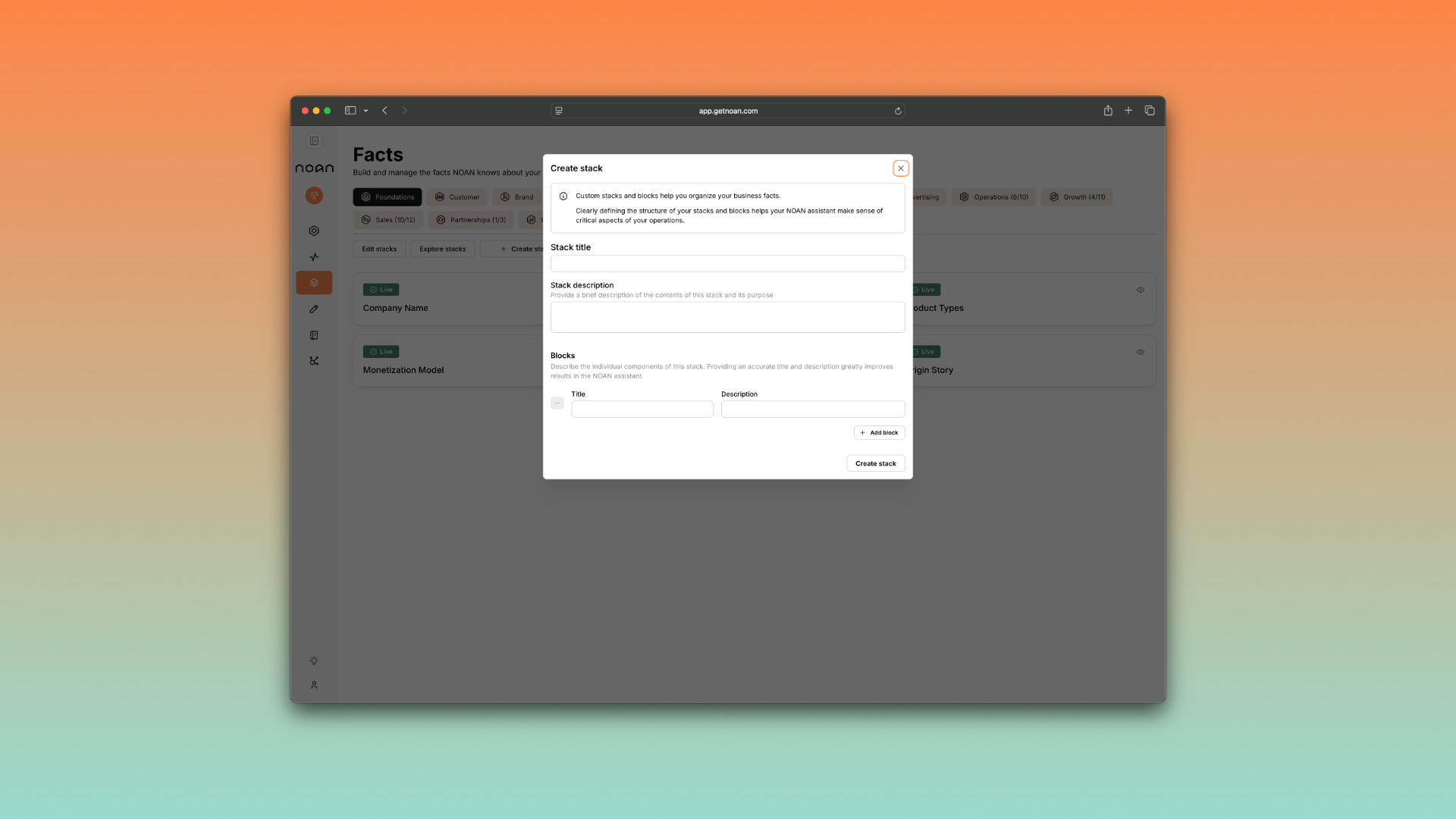
We've just launched a major update to how you organize and build your business knowledge in NOAN: Custom Facts & Stacks are now live on the Facts page.
What's New
- Create Custom Stacks: Add a new stack, give it a name, and start building. Each stack can hold as many facts as you need.
- Unlimited Flexibility: Facts can be informational (like pricing, brand positioning, or your mission) or structural (templates, formats, or workflow blueprints).
- Organize by Business Area: Keep your workspace tidy by grouping facts around key business functions—think "Sales," "Brand," "Operations," or "Client Onboarding."
- Assistant Upgrades: The Assistant can now update any fact for you—even if it's currently empty. Just ask, and it will build or update facts based on your input, uploaded documents, or client data.
Why It Matters
- Bespoke Knowledge Base: Build a system that matches your business, not someone else's template.
- Faster Onboarding: Drop in a client's info or upload documents, then ask the Assistant to extract and build all relevant facts automatically.
- Instant Structure: When you join NOAN, you can upload your business docs and have the Assistant pre-fill your facts—no more manual setup.
How to Use It
- Go to the Facts page.
- Click "Add Stack," name your stack, and start adding facts.
- Use stacks to keep related facts together—one stack per business area works best.
- For each fact, decide if it's informational (what you know) or structural (how you work).
- Need help? Ask the Assistant to build, update, or extract facts from any info or document.
Pro Tip
Stacks work best when each one is focused on a single business area. The more organized your facts, the smarter your Assistant's recommendations and automations will be.