Link Tasks to Contacts for Next-Level Workflow
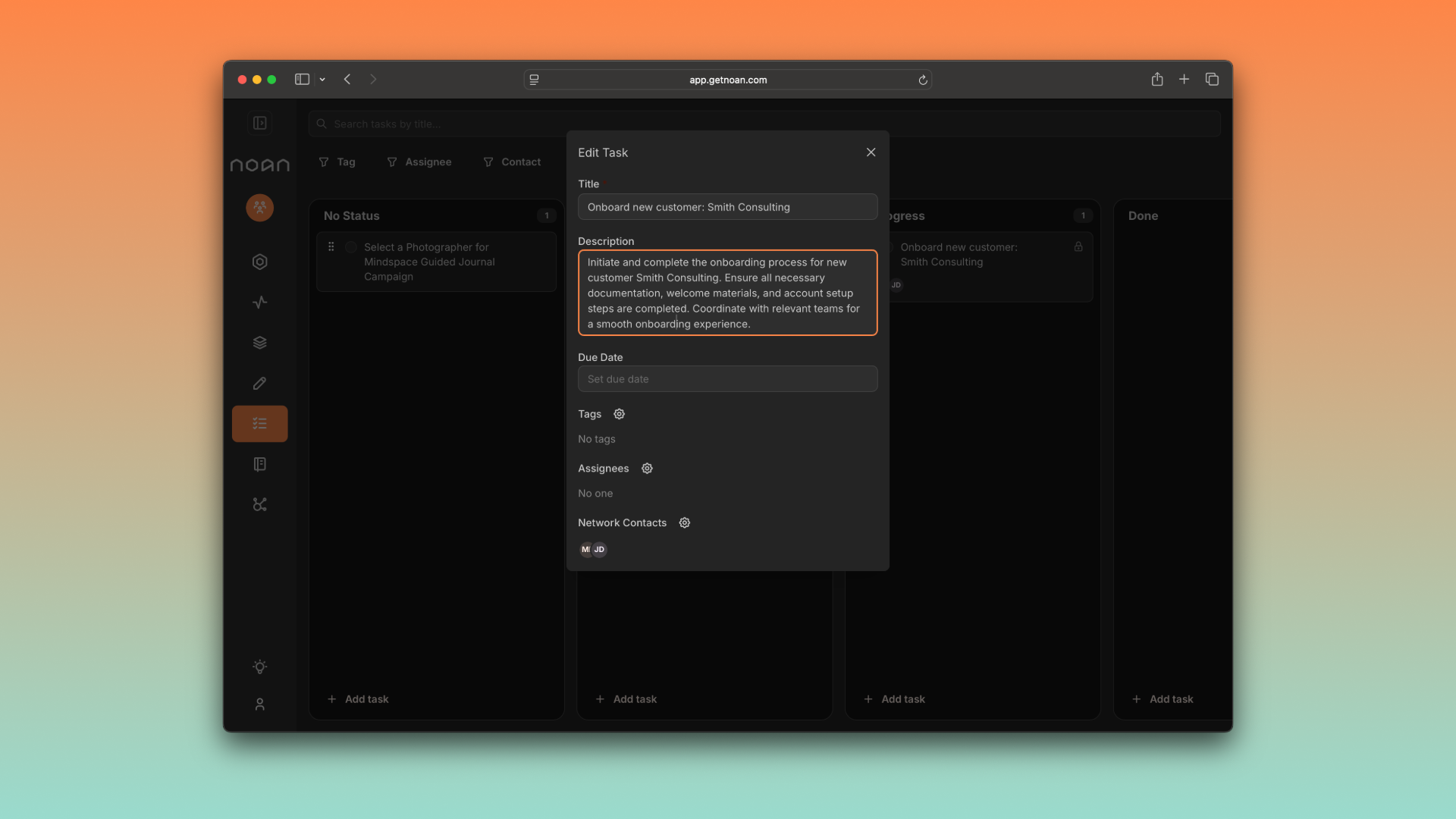
We've just shipped a game-changing update to how Tasks and Network work together in NOAN—making customer success, sales, and client management smoother than ever. Here's what's new:
🔗 Task Linking with Contacts
- Link Tasks to Contacts: In the task board, you can now link one or multiple contacts to any task directly from the edit modal.
- Quick Navigation: Click a linked contact in a task to jump straight to their contact page.
- Network Shortcut: The contact selector now includes a "Go to network" button for instant access to your full contact list.
🕵️♂️ Smarter Task Filtering
- Linked Contact Filter: Filter tasks by any linked contact—find everything related to a client or lead in seconds.
- Avatar Shortcuts: Click a contact's avatar on a task card to instantly filter the board by that contact.
- Assignee Filtering: Click a team member's avatar on a task card to filter the board by that assignee—perfect for solo founders scaling up or teams managing workload.
👥 Network Page Upgrades
- Task Overview in Network: On both Grid and List layouts, see a task icon for each contact showing pending (and completed, collapsed by default) tasks linked to them.
- Contact Details, Now with Tasks: Each contact's detail page now features a dedicated tasks section—plus a direct link to the task board, pre-filtered for that contact.
🤖 Assistant Smarts
- Task Recall: The NOAN Assistant can now recall all tasks linked to your contacts—making follow-ups and client management even more seamless.
- (Coming Soon) Add Linked Tasks via Assistant: Soon, you'll be able to create and link tasks to contacts just by asking the assistant.
Why it matters: This update bridges your workflows—connecting people and actions in one place. Whether you're tracking sales leads, managing client deliverables, or ensuring customer success, you'll move faster and stay organized.
Try it out: Head to your Task Board or Network page and experience the new connections. As always, feedback is welcome—let us know how these features power up your business!